How to update your location in Taco Loco
You can easily move the location of your truck using the Taco Loco app on your iPhone. Just type your truck's name into the search bar and you'll show up on the map. Tapping on the pin for your previous location will allow you to go to the detail view by tapping the blue arrow button. Then, just tap the Move button to relocate your record to your current location.
But, now you can also update Taco Loco by tweeting…
Tweet Location
Twitter has a feature that allows people to geolocate their tweets. This is different from the location field that shows up on the profile for your account. It allows you to have GPS coordinates assigned to individual tweets. And you have control over when and when not to share your location information. Just tweet with a location and your location will also be updated in Taco Loco. You need to enable Tweet Location in your account settings on Twitter.com.
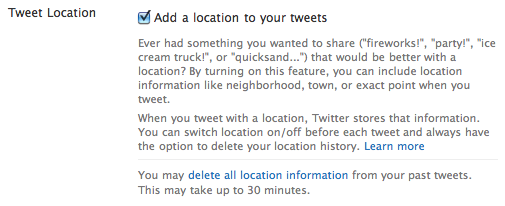
If you're going to tweet your location, you should only do so when you're in a location that you're serving from. When you're on your way to a new spot or doing something else you can still tweet freely but you should not include your location for those tweets. This will result in better location information for potential customers from Taco Loco and will be less confusing to your Twitter followers.
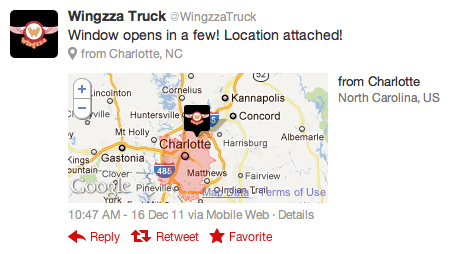
There are a variety of Twitter apps that support Tweet Location:
- Seesmic for iPhone, Android, Windows Phone 7 (unconfirmed)
- Tweetbot for iPhone
- TweetDeck for iPhone
- Twitter for iPhone, iPad, Android, Windows Phone 7, and BlackBerry
Updating your Twitter account's location field
If you do not have access to a mobile app that supports the relatively new feature described above, Taco Loco can also update your location based on the location for your Twitter account. Taco Loco will only update your location based on GPS coordinates in your account's location field. There are many Twitter apps that can do this. The two apps that we have usually seen vendors doing this with are Twitterrific for iPhone and ÜberTwitter for BlackBerry.
We recommend that you choose to use Tweet Location rather than updating your account's location with GPS coordinates. It makes it easier for you to update your location, it makes your location in Taco Loco fresher, and it is more useful to your followers.